%201.svg)
%201.svg)
Health & safety software built by the people who use it
Real-time compliance visibility across every site. The same platform our ex-enforcer consultants use to keep you audit-ready.





Built for real compliance, not checkbox software




Ready to see Compliance Cloud working for your sector?
Book a 20-minute demo with a real consultant. We'll show you exactly how Compliance Cloud works for your industry, on the live platform.
Software that works alone, and even better with a consultant
Compliance Cloud works standalone. But when paired with an Opus consultant, audit findings auto-generate tasks, training gaps appear in your dashboard instantly, and nothing gets lost in translation.

"The online system OCC is far simpler and quicker to use than other systems in the past. We can produce accident statistics and training analysis at the push of a button."

.avif)
Everything you need in one place
One place for everything that needs your attention
Your site inbox shows every open task, incident, and action, ordered by severity so nothing gets missed.

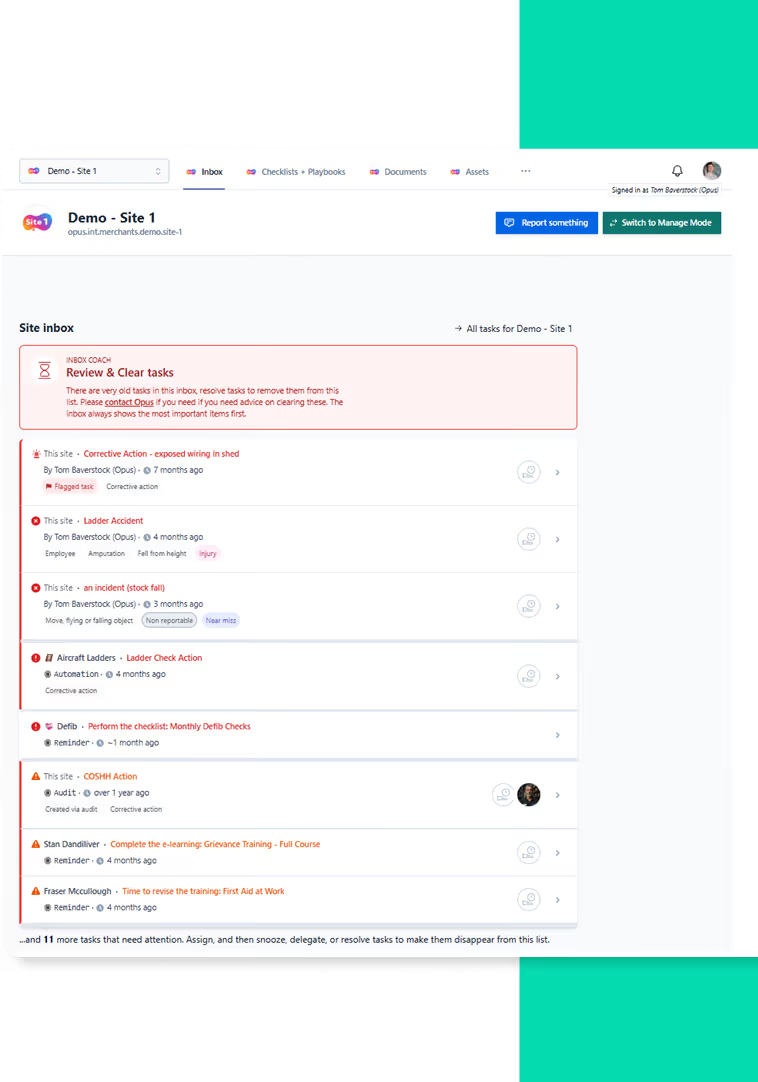
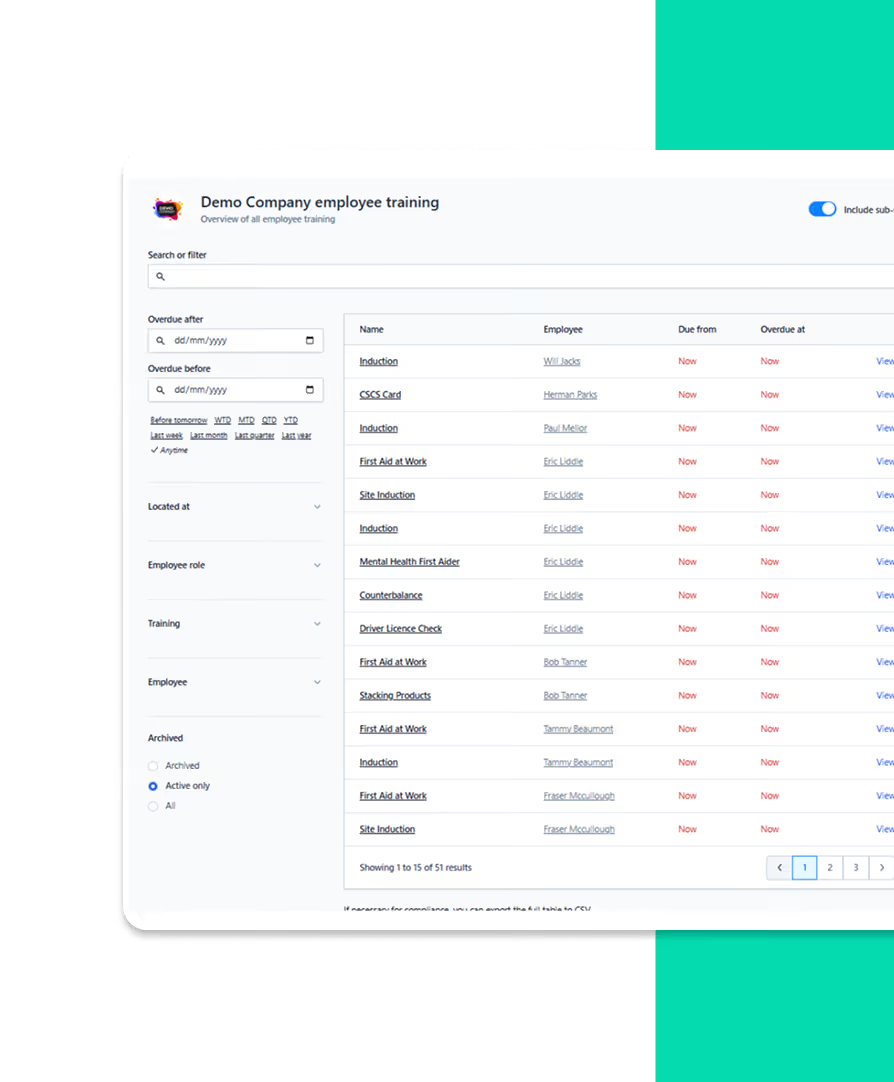
Know exactly who's trained, who's overdue, and where the gaps are
Set role requirements once and Compliance Cloud assigns the right training automatically, even across multiple roles.
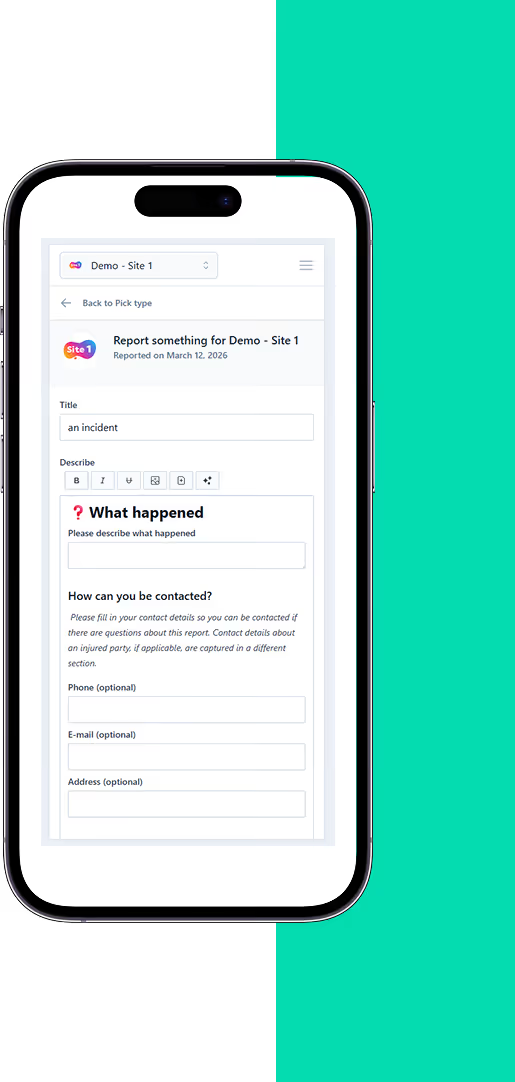
Report incidents in seconds, spot patterns before they become serious
Anyone can log an incident in seconds via QR. That ease lifts near-miss reporting and surfaces trends early.
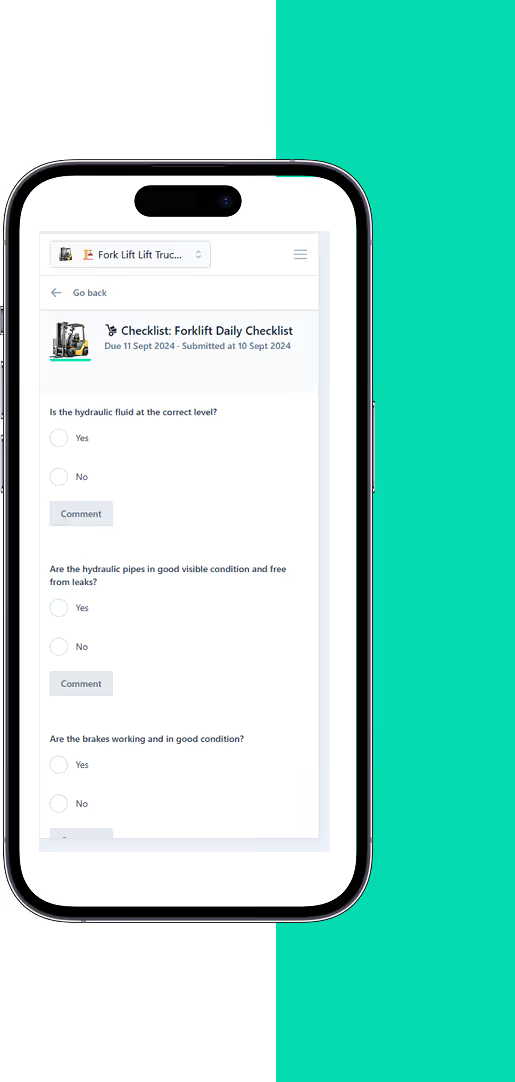
Pre-start checks done in seconds, every time
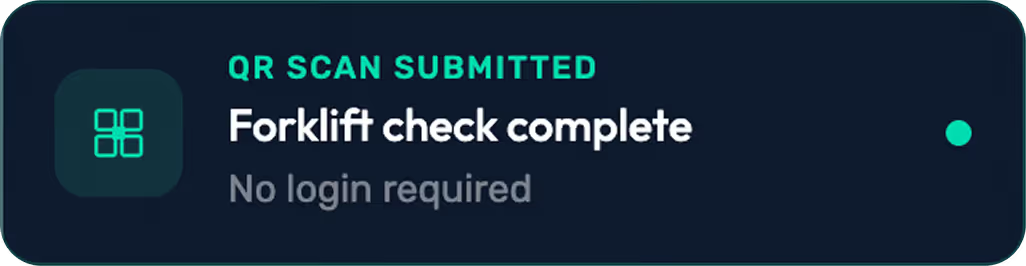
Attach a QR code to any asset. Operatives scan and complete the right checklist before use, every time.
One-click proof for any auditor. Benchmarks for where to focus first.
A one-click Site Snapshot shows open incidents, audit actions, overdue training, and outstanding checks.
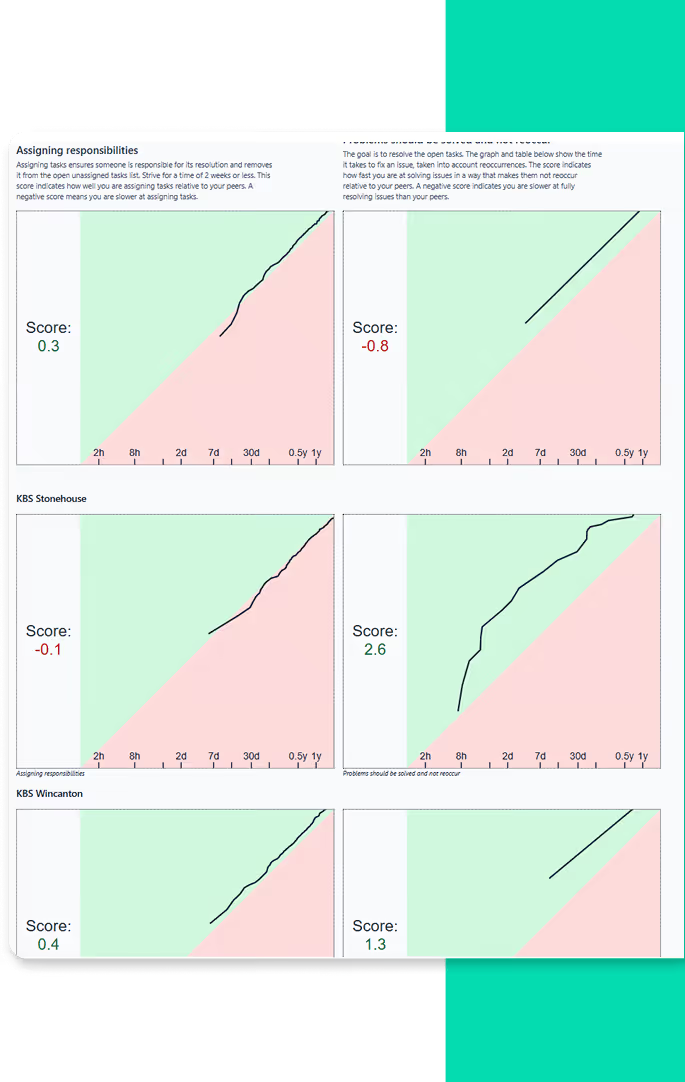
Before and after compliance cloud


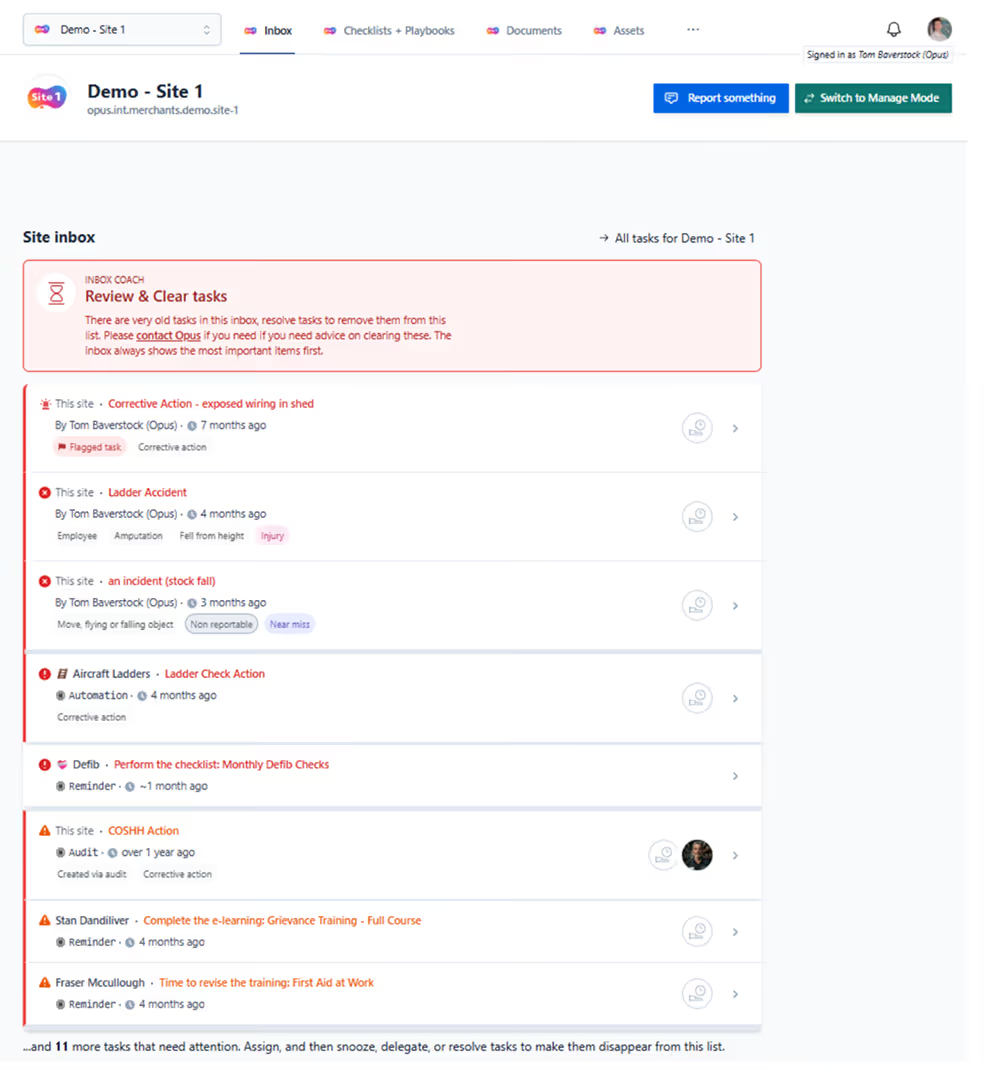
Before and after compliance cloud

What a compliance platform replaces
It replaces the places your compliance evidence already lives: a training spreadsheet, a folder of risk assessments, paper pre-start checks in a vehicle, and somebody's memory of when the racking was last inspected. It does not replace your competent person.
You may recognise all four. They work, in the sense that the information exists. They fail when somebody asks you to produce it.
The training spreadsheet
One person maintains it. Expiry dates are typed in by hand, and the alert is that person remembering to look. When they are on holiday, nothing flags. When they leave, the file goes with the laptop.
Opus Compliance Cloud holds the same data and reverses who does the remembering. Expiry drives the alert, the alert finds the manager, and the record of who was trained on what is one export instead of an afternoon.
The folder of risk assessments
A folder is a snapshot of the day it was printed. Regulation 3(1) of the Management of Health and Safety at Work Regulations 1999 requires a suitable and sufficient assessment, and regulation 3(6) of those Regulations requires an employer with five or more employees to record the significant findings. Neither says the record has to be paper.
The practical failure is version drift. The folder in the office says one thing, the laminated sheet on the machine says another, and the assessment somebody emailed to a contractor last year says a third.
Paper pre-start checks
A driver walks round a forklift, ticks a sheet, and the sheet goes in a drawer. The check happened, but proving it happened on a specific machine on a specific morning six months later is hard.
Thorough examination records under the Lifting Operations and Lifting Equipment Regulations 1998 and inspection records under the Provision and Use of Work Equipment Regulations 1998 are useful as evidence because they are dated and tied to a machine, and a pre-start check needs the same two things.
Scanning a QR code on the machine records the check against that machine, with the time it was done.
Somebody's memory
Some of it is never written down: which contractor has been inducted, which extraction unit is due its LEV test, which agency staff started on Monday without being shown anything yet.
A platform keeps those in a record instead of in one person's head.
What it does not replace
Regulation 7 of the Management of Health and Safety at Work Regulations 1999 requires you to appoint one or more competent persons to help you comply, and to appoint from among your own employees where you have the competence. Software is not a competent person and no platform makes that appointment for you.
A system records that a check was completed. Deciding whether the control is adequate, whether the segregation works when a delivery arrives at the same time as a customer, whether the guard that keeps being removed needs a different guard, is a person standing in the yard.
The duties under the Health and Safety at Work etc. Act 1974 sit with the employer. A platform helps you meet them and holds the evidence that you did. It carries none of the liability.
That limit applies to any compliance software, including ours, because somebody competent still has to read the records and act on them.
Where the two meet
Opus Compliance Cloud is built alongside a consultancy to close that gap. Assessment findings become tasks in the platform. Training gaps the consultant sees on site appear in the dashboard the manager already uses. The audit and the evidence of the audit stop being two separate jobs.
With a named consultant acting as your competent person, the consultant's findings and your evidence sit in the same system.
Two ways to use compliance cloud
Both give you full platform access. The difference is how much of the compliance work you want to own yourself.
Software Only
Full platform access, configured by our team. Ideal if you have in-house H&S capability and need the right tools to manage compliance at scale.
Opus Safety Partnership
Everything in Software Only, plus a dedicated H&S consultant using the same platform - so nothing gets lost between site visits and your dashboard.
Not sure which is right for you? Speak to a consultant - we'll help you decide.
Built for your industry


Builders Merchants
Multiple branches, different managers, inconsistent standards. The platform gives you one view across every site. Forklift checks, fire equipment inspections, and training compliance are visible in real time.

Warehousing & Logistics
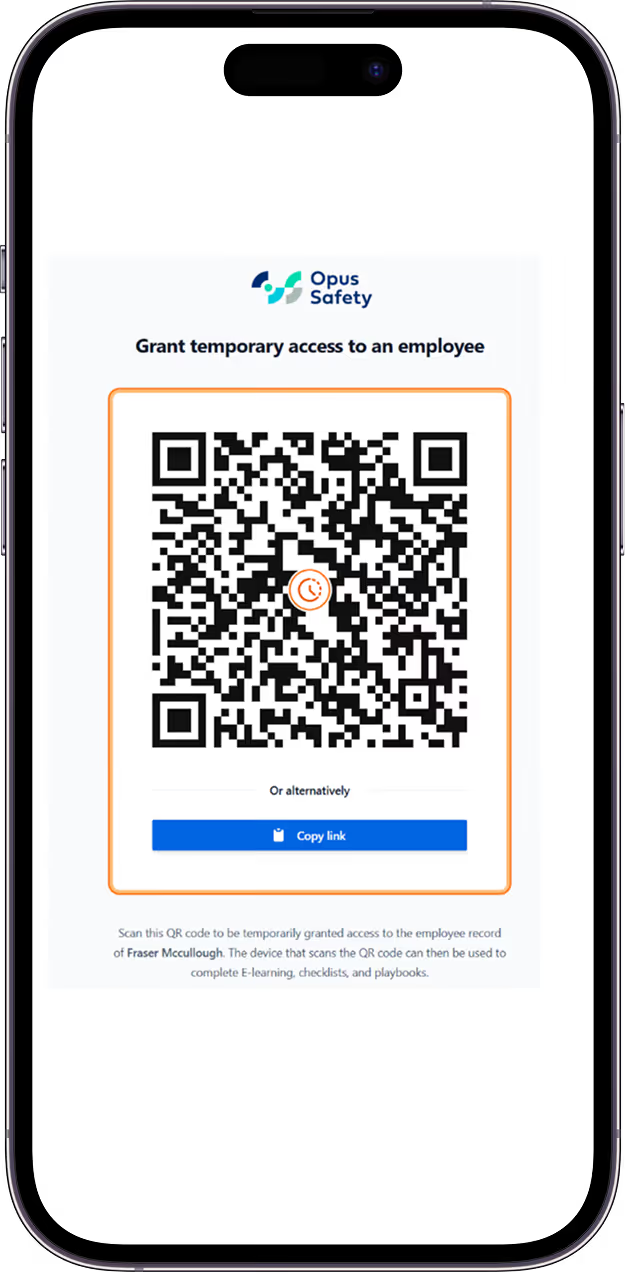
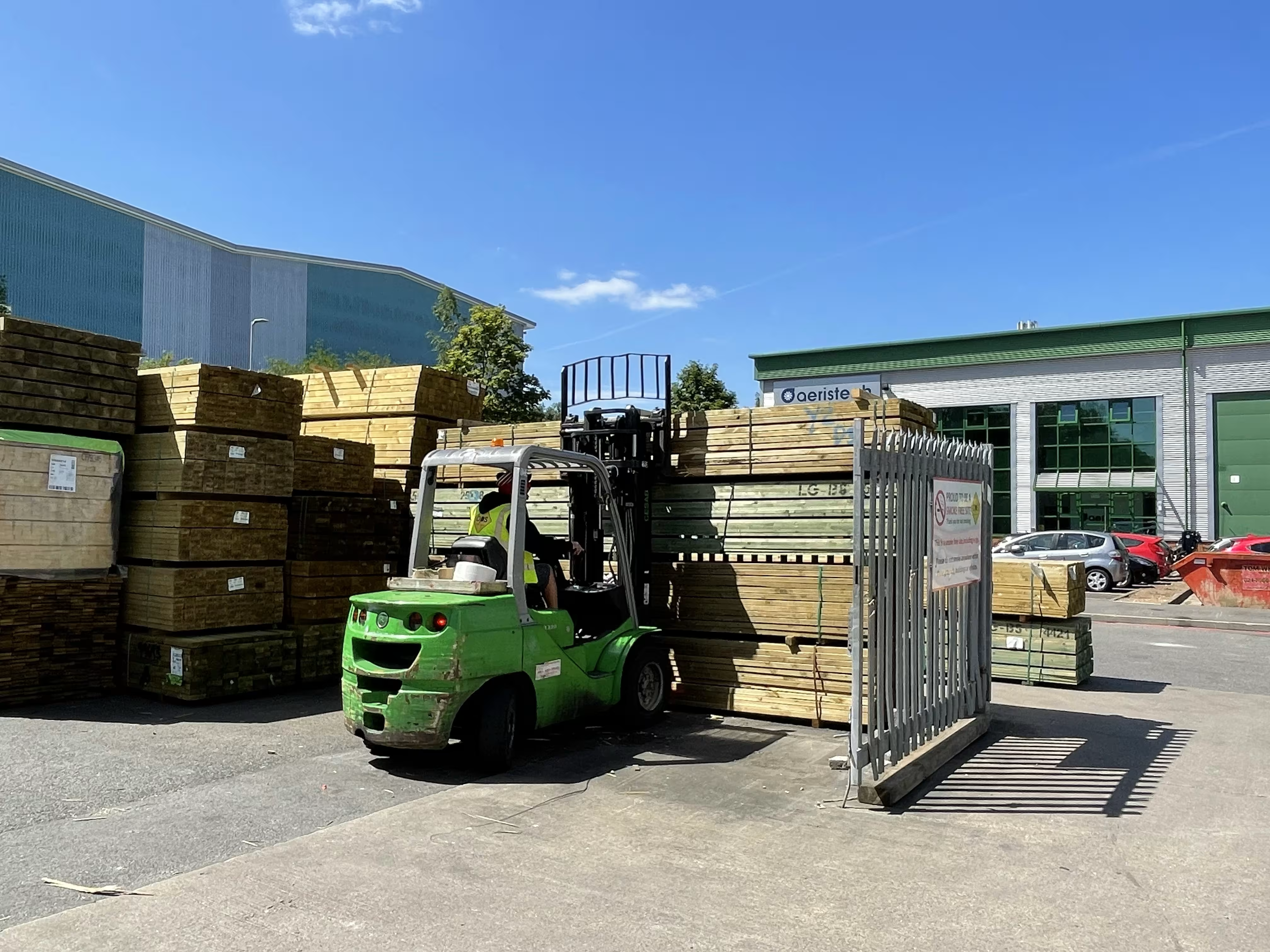
Peak season means 50 agency workers starting in a week. Temporary access links handle safety induction without account setup. FLT (fork lift truck) daily checks run via QR. MHE (mechanical handling equipment) compliance tracks automatically.

Manufacturing & Engineering
24/7 operations need 24/7 compliance visibility. Track equipment checks across every shift. Manage COSHH (Control of Substances Hazardous to Health), noise exposure, and HAVS (Hand-Arm Vibration Syndrome) surveillance in one place.

Garden Centres
Seasonal displays change weekly. Customer safety sits inside constantly evolving retail environments. Capture safety observations on the move. Track seasonal staff training without spreadsheet chaos.

Metal Stockholders
Heavy lifting, cutting operations, and materials handling across indoor and outdoor yards. Crane safety, manual handling risk, and COSHH exposure from oils and coatings all track in one view. Your consultant knows this environment, not just the regulations that apply to it.

Childcare & Nurseries
Safeguarding, fire safety in buildings designed for small children, food hygiene, and outdoor play areas. Track staff training and Ofsted inspection readiness alongside HSE compliance in one view.
.jpg)
Real compliance, at real scale
954k+
Safety checks completed across the platform
147k+
E-learning certificates generated
168k+
Corrective actions resolved and tracked to close
Live figures from across the Opus Compliance Cloud platform.
This is what compliance looks like when it stops being paperwork.

Ready to take control
of your compliance?
Start with a demo or speak to a consultant about which path is right for your business - software only or full partnership.
Frequently asked questions
How quickly can we be up and running?

Do we need IT support to set it up?
What makes Compliance Cloud different from other H&S software?
Can agency and seasonal workers use it without setting up accounts?
What support is included?
Is health surveillance data properly protected?
What happens to our data if we leave?


%201.svg)


